astravue

MCP in PSA: Productivity, Profit & ROI Guide

For years, professional services automation (PSA) software has solved the back office problem: timesheets, invoicing, utilization reports.

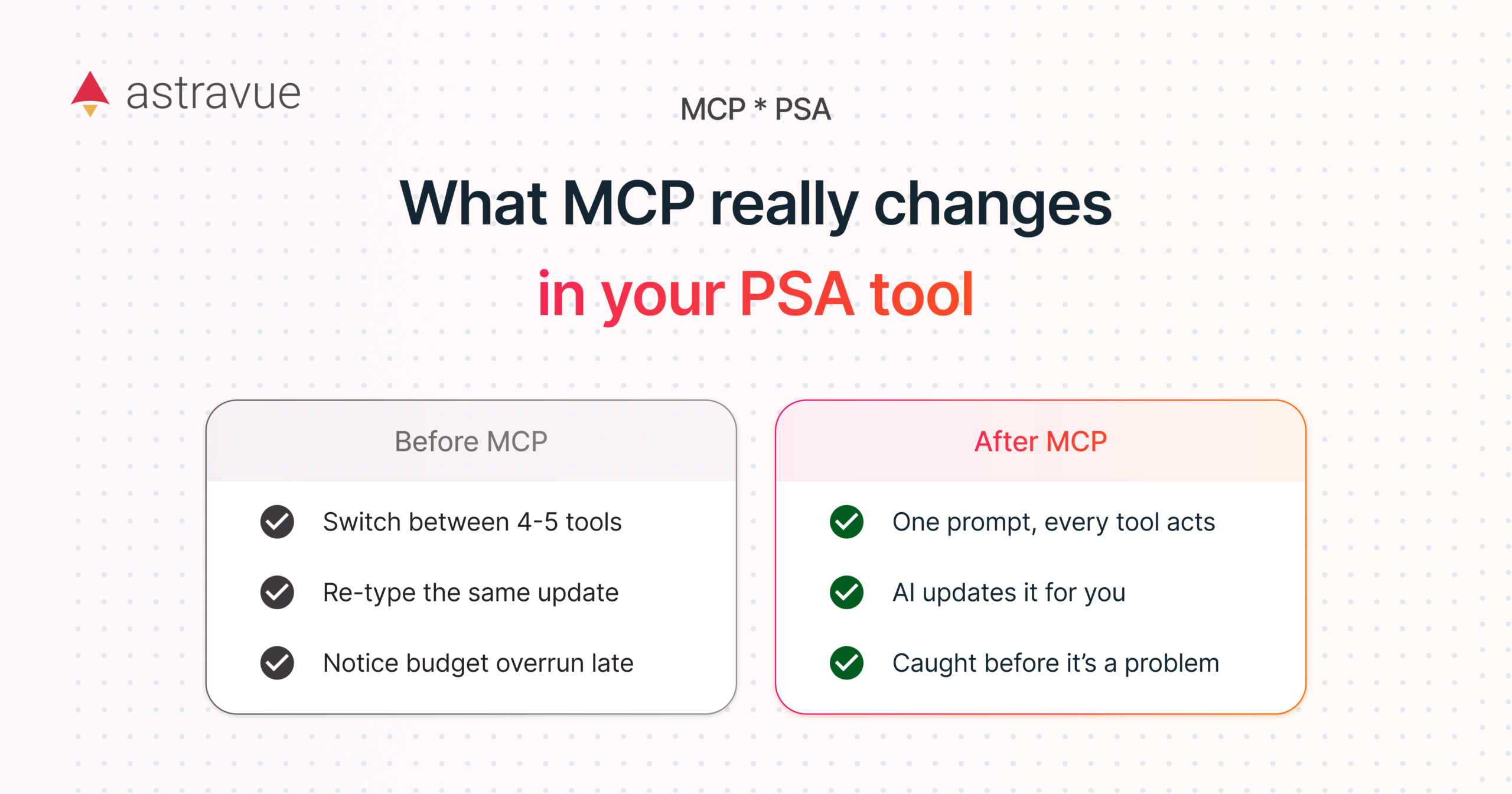
What it never solved was the front office drag of jumping between five different tools just to get one task done.

That is the gap Model Context Protocol (MCP) is starting to close, and it is the reason MCP is quickly becoming the line item that separates a “modern” PSA from a genuinely AI-native one.

What MCP actually does inside a PSA tool

MCP is a connection standard that lets an AI assistant act directly inside your PSA, CRM, calendar, and chat tools instead of just reading data from them. In practice, that means a delivery manager can type “create next sprint’s tasks from this client email and assign them by skill and availability” into Claude, and the work actually happens across Astravue, the CRM, and the calendar in one pass. No tab switching, no manual re-entry, no waiting for someone to update three systems separately.

This is a different category from the AI features most PSA tools already have. Dashboards and predictive alerts tell you something is wrong. MCP lets you fix it, right from the conversation you are already having.

The productivity case

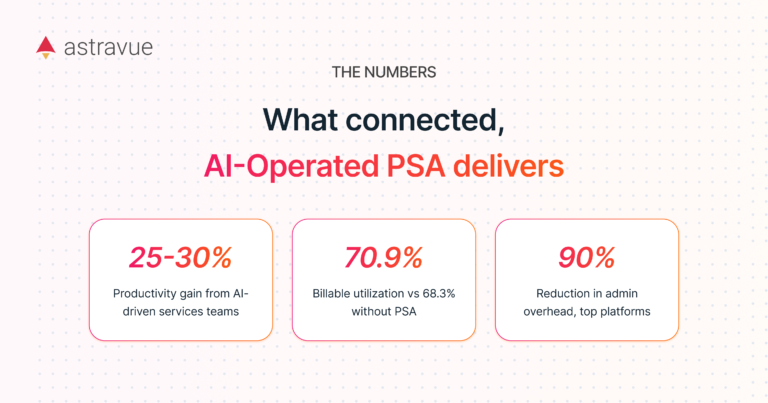
Industry research on AI-driven services teams points to productivity gains in the 25 to 30 percent range, largely because issues get caught and acted on before they affect delivery rather than after.

A meaningful chunk of that gain comes from a single source: administrative drag.

Teams typically lose 2 to 5 hours per person, per week, on manual time entry and status updates alone. When an MCP-connected PSA can log time, update task status, and sync changes across tools automatically, that time moves back into billable work.

An agency project lead spends Monday mornings rebuilding the week’s task board from a backlog of client emails and Slack threads. With MCP, that same lead asks the assistant to parse the emails, create the tasks, tag the right teammates, and flag anything overdue. What took 90 minutes now takes under 10.

The profitability and utilization case

Firms running mature PSA systems report billable utilization around 70.9 percent, compared to 68.3 percent for firms without one, and resource allocation improvements of up to 45 percent when AI handles the matching of people to projects.

The mechanism is simple: when the system can act on its own data (reassigning a task when someone is overloaded, flagging a project trending over budget) instead of just displaying it, margin leaks get caught while there is still time to course correct.

A 120-person IT consulting firm uses MCP to let project leads ask “which active projects are tracking over budget this week” and get the assistant to pull the answer from Astravue and the CRM, then draft a client update, in one request. What used to be a Friday afternoon spreadsheet exercise becomes a two-minute check.

The time and ROI case

Some PSA platforms report up to a 90 percent reduction in administrative overhead, and billing error rates drop by roughly 35 percent when automation removes manual data entry from the invoicing chain.

For mid-market and larger service organizations, that is not a soft benefit.

At 50-plus billable employees, even reclaiming one hour per person per week back into billable time adds up to thousands of recoverable hours a year, before counting the reduction in billing disputes and the faster cash cycle that comes with cleaner invoices.

Why this matters more at larger firms

Below a certain size, manual workarounds are annoying but survivable. Past 50 employees, the coordination cost compounds: more projects running in parallel, more handoffs between sales, delivery, and finance, more places for a task or a number to fall through the cracks.

That is exactly where an AI assistant with direct, governed access to your PSA, CRM, and project data stops being a convenience and starts being a margin protection tool.

Astravue has had MCP available for three months now, already in use for task creation, CRM updates, and cross-tool reporting.

The next step is putting it in front of the mid-market and enterprise teams who stand to gain the most from it.

Keep Reading